simple checksum
checksum's little brother!
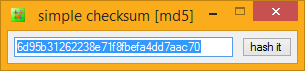
Wherever checksum goes, his wee brother usually tags along. He's called simple checksum, an ultra-low profile desktop application, designed for ad-hoc drag-and-drop hashing and compare tasks. He's the good-looks to checksum's muscle, which he borrows. He really is a mere strip of a lad!..
Simple..
Yes, but smarter than he looks and not only supports drag-and-drop file hashing, but on-demand string hashing as well as hash-perfect file and folder comparison. You can also drag and drop files and folders directly onto his program icon (or a shortcut to it, maybe on your desktop), as well as supply file names on the command-line and/or hashes in the clipboard, to launch immediately into a checksum calculation or comparison job, done. Simple, sure, but clever, too!
Fast..
Uses the same ultra-fast 32 or 64 bit hashing engine as his big brother, checksum. Enough said.
Yet, fully featured..
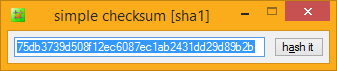
simple checksum supports MD5, SHA1 and BLAKE2 hashing algorithms and is completely FREE (it comes with checksum). So feel free to throw a shortcut somewhere handy (maybe in your SendTo menu), always ready for instant hashes and file/folder comparison jobs.
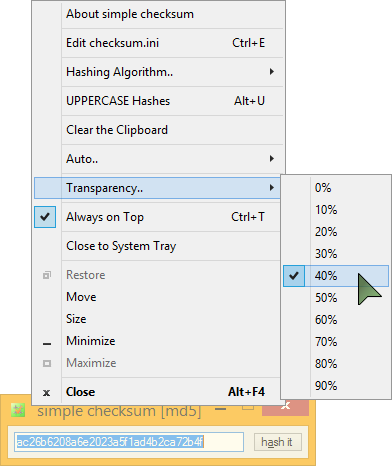
simple checksum is designed to sit out-of-the-way somewhere, and supports transparency and "always on top" bit-setting for extended desktop usage, enabling you to do visual comparisons of online checksums, even with your web browser open full screen.
You can show/hide simple checksum by simply clicking its system tray icon. Everything has ToolTip help, even the system tray icon.
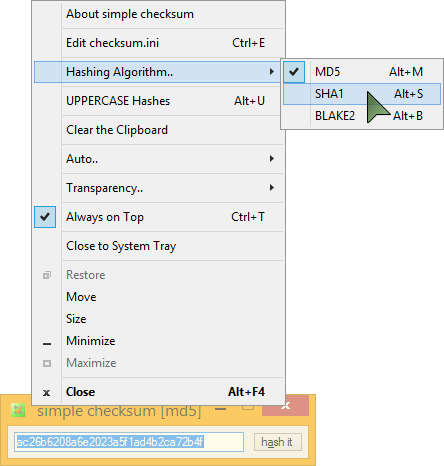
Easily switch between MD5, SHA1 and BLAKE2 hashing with HotKeys or via simple checksum's application menu - simple checksum will recalculate the file's hash using the new algorithm, without the need for a second drag-and-drop.
Launch simple checksum with a file (via drag & drop, SendTo, etc.), and get an instant MD5, SHA1 or BLAKE2 hash, ready to view or copy into your clipboard. Launch with a hash in the clipboard, perhaps with drag-and-drop, and simple checksum performs an instant hash compare..
simple checksum's Auto.. menu enables you to automatically send your hashes to either your Windows® ClipBoard, or directly to a fresh .hash file, as part of one simple drag and drop. Switch algorithm (Alt+M, Alt+S or Alt+B) and with AutoSave enabled, you've got yourself a MD5+SHA1+BLAKE2 MultiHash™ from a single drag and drop!
Drop Two files, and simple checksum transforms into a simple, highly efficient file comparison utility…
File Compare..
Drop Two files onto simple checksum; either the program itself (or a shortcut to it), or directly onto its input, and simple checksum will compare them, using your currently selected hashing algorithm. If the files are identical, you get "Files MATCH!", and if not, "Files DO NOT MATCH!", simple as that.
If required, you can get to the actual hashes by hitting Alt-C. If the hashes were different, hitting Alt-C a second time will get you the second hash. From then on, Alt-C toggles between the two hashes.
When comparing files, if AutoCopy is enabled, your clipboard will contain a mini-report, with the two file names, their individual hashes, and right at the top, the status of the file comparison; match or not.
Folder Compare..
Drop two Folders onto simple checksum; either the program itself (or a shortcut to it), or directly onto its input, and simple checksum will automate the process of hashing both folders in turn (using checksum), then compare the two resultant .hash files (by hashing them, of course!). If they are identical*, you get..
"Folders MATCH!"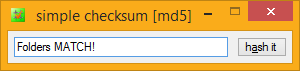
If they are NOT identical, you get..
"Folders DO NOT MATCH!"
Simple as that!
What if the folders are on a different drive/volume?
You obviously can't drag and drop those together onto simple checksum (nor use a SendTo menu item), but simple checksum can still do the job. Here's how..
- Open your system Run dialog (Win+R), and delete anything that might be lurking in there.
- Drag
simple checksum.exeinto the Run dialog. - Drag the source folder into the Run dialog.
- Drag the target folder into the Run dialog.
The Run dialog should now have a command-line something like..
"C:\Program Files\corz\checksum\simple checksum.exe" "M:\MyFiles\Some Folder" "M:\MyBackups\Some Folder" - Click "OK" (or hit <Enter>).
simple checksum will leap into action, comparing the two folders, exactly as if you had dragged them in (above).
.hash files. Everything has to be EXACTLY the same in both folders or else it will fail. For example, if the dates of the files in folder 2 are different from those in folder 1, the compare will fail, even if the actual hashes are the same. Be warned.
For non-trivial comparisons (e.g. backups) it is still best to use checksum itself, with root hashing, keep a permanent record of the hashes (do a root hash in the source directory, copy it to the backup, click it; easy).
Web Hash Compare..
simple checksum offers the quickest web hash checking system in the world..
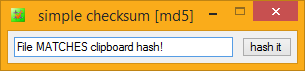
If you send a file to simple checksum (via Drag & Drop, SendTo menu, or by dropping a file directly on its input) and there is a hash already in your clipboard, simple checksum will immediately compare it to the dropped file and report whether or not they match (rather than report the hash string - if you need that, IT'S IN YOUR CLIPBOARD!)
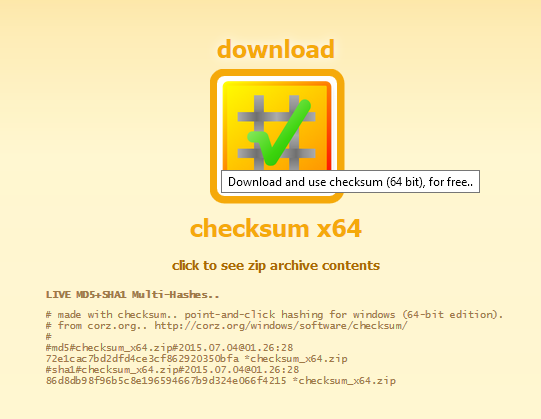
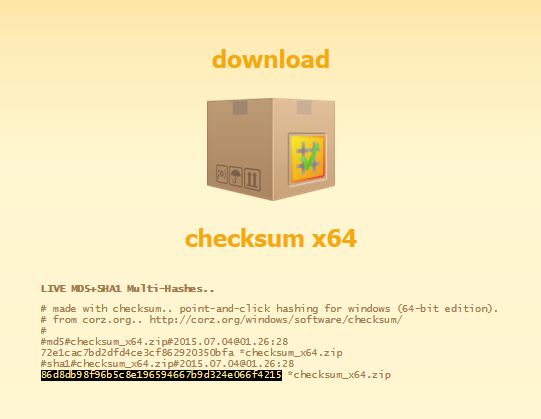
This makes it a no-brainer to compare the hashes of download files with the hashes published on web sites, simply copy the hash from the page (double-click it to select it, hit Ctrl+C) and then drop the downloaded file into simple checksum. Done!
That's only THREE Short Steps..

TADA!
The clipboard compare functionality also means that you can compare the hashes of two files that are not physically next to each other; with Auto-Copy enabled, drag the first file into simple checksum - its hash is placed in the clipboard. When you drag-and-drop the second file, simple checksum will compare its hash to the one in the clipboard.
simple checksum will automatically switch between MD5, SHA1 and BLAKE2 hashing depending on the type of hash in your system clipboard.
If you have Auto-copy-to-clipboard enabled, it will deactivate when comparing with the existing clipboard, your original hash will still be there after the operation, regardless of the result.

simple checksum is FREE! (as in beer)
(it is installed along with checksum)
After a month or so, checksum will remind you that it is Shirtware, but simple checksum keeps on working without interruption, for life. En-joy!