this page tends to grow..
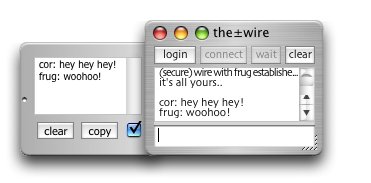
q. Can I send files and chat at the same time?
a. Yes.
q. When do you plan to add multiple chatting?
a. I dont. the±wire is for two humans only.
If you want to chat with hundreds of people, log onto IRC.
q. I want to wire more than one person at once! How?
a. Yeah okay! I hear ya! Well, no problem, just run multiple copies!
On OS X, you'll need to make physically seperate copies to achieve this.
Just rename them, "wire2", "wire3" or whatever.
q. Can I connect to someone before they are "waiting"?
a. Yes, though obviously you will only make the actual connexion
once they come online and begin to wait. (works like dialling 5 when you get
an engaged tone in the UK, except cheaper ;o)
q. Is there a limit to the size of files I can send.
a. No. Having said that, the drag-n-send™
technology was developed
for sharing images, and then extended to cover "wee files". I've transfered 700MB
CD images over my local network without difficulty, but wouldn't dare try that
over the internet, big files can take a long time to send, especially on slow
connexions like dial-up. If you plan to transfer a lot of big files, you would be
better off with a small FTP server, or something similar. note: progress reporting
in transfers over 50MB is still buggy. the transfer is fine, but the progress bar is not.
q. Is there a resume facility?
a. No. see above.
q. How do I get my own IP to give to others?
a. Please allow me to save you a lot of time and frustration by pointing you
here.
Sign up for a free no-ip address
Install the DUC (Dynamic Update Client), preferably as a system service.
Then simply give folks your mywire.no-ip.org or whatever address,
and forget about that whole messy IP business altogether.
q. How secure is the secure chat?
a. Not unbreakable. See the itstory page. While my text manipulations
would likely baffle your average snooper, an experienced cryptographer wouldn't
have much trouble with it.
A well known phrase; see if you can figure it
out..
BCKŸ=GŸH9ŸH=A9Ÿ:CFŸ5@@Ÿ;CC8ŸA9BŸHCŸ7CA9ŸHCŸH9Ÿ5=8ŸC:ŸH9ŸD5FHM
I was mainly concerned with putting the framework in place; tighter
encryption will follow after I work out the technical and legal issues. Mind you,
a fresh encryption key is created for each new session, so the text above is
only one possibility. If you are in a hurry for a military-grade truly secure
wire, feel free to persuade me! note: I've upgraded the encryption algorhythm
somewhat since the above text ;o)
q. What if one person has secure chat enabled and the other doesn't?
a. Simply, the±wire will automatically switch to secure mode if *either*
have enabled it. This allows you to enable it in the middle of a chat (watch
the window title change when this happens)
q. Is the file transfer secure?
a. No. If you want to make files secure, encrypt them with something like PGP
before transport. The filename/size data travels encrypted, though.
q. I'm having trouble connecting/transfering files. what can I do?
a. 99% of the time these kinds of troubles are caused by firewalls.
A firewall's job is to block ports. As well as obvious firewalls like the OS X Firewall,
or Windows XP built-in firewall, other devices will do firewalling as part of their spec,
things like routers, airport (WLAN/WiFi) base stations, etc will block incoming connections
on ANY port, which is generally a good thing.
To allow full use of the±wire's transfer capabilities, you need to ensure its port is open,
specifically you will need to allow incoming and outgoing TCP/IP
traffic on port 2769 (or whatever port you and the other human have decided to use).
Remember, when you send a file to someone, what actually happens is that you send a message to
them informing them that you have a file you wish to transfer. After they have decided that they
want to receive it, they connect TO YOU to grab the file. This has obvious security benefits,
not least because the one sending the files is the one who needs to allow incoming connexions!
Apart from the initial firewall setup, all this is transparent in operation.
q. Are you single?
a. What's that got to do with
the±wire?
Okay, wire me, and I'll tell you about it. *grin*
;o)
cor