you got stats!
Q: What is darkstat?
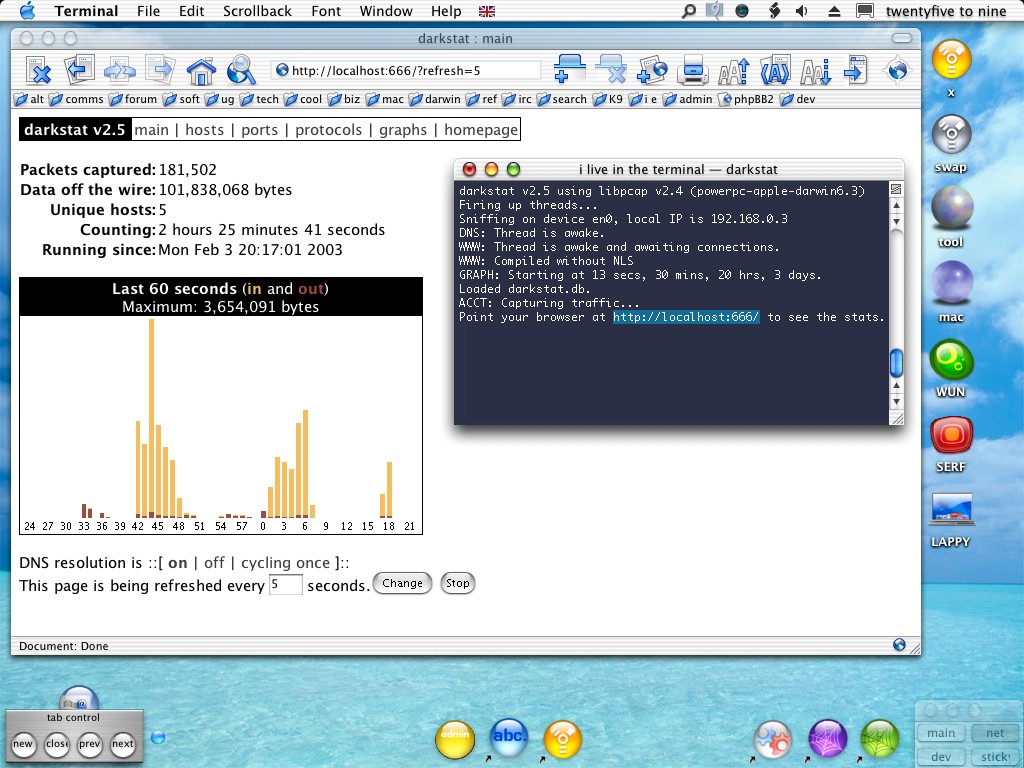
A: darkstat is the excellent open-source network traffic analyzer by Emil Mikulic. It sniffs all the data passing through the machine's network interfaces and presents the results graphically in your web browser. Check out the screenshot.
Q: Why is this page here?
A: So that I can spread the word about how good darkstat is. It really is very good.
Trouble was, in the bad old days of Mac OS X, darkstat wouldn't compile without some fussing about, so I put together a package for Puma & Jaguar users, a standard Mac installer with a few extra bits and bobs thrown in (thrown with loving care and attention, I might add - screenshots at the foot of this page), the sort of things we mac users expect.
At the time of writing we brushed-alluminium types are up to Panther; a matured and slick OS with most all the nobs on, and screwed in too. Developers, source-builders and the like have never had it so good, darkstat also compiles with no fuss whatsoever.
I maintain this package because in reality, only a minority of Mac users have the developers tools installed, but that shouldn't, and doesn't stop folks using this superb network monitoring tool for their homes, networks and servers.
In short, this is a place where you can get an up-to-date point-and-click Mac OS X version, and a lot more besides; without all that "messing about in the terminal" stuff.
Q: Okay, where can I get this package?
A: Right here..
If you have any problems with this installer package, please do not bug Emil about it, bug me!
Q:What else do I get?
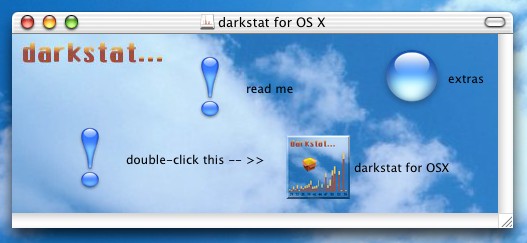
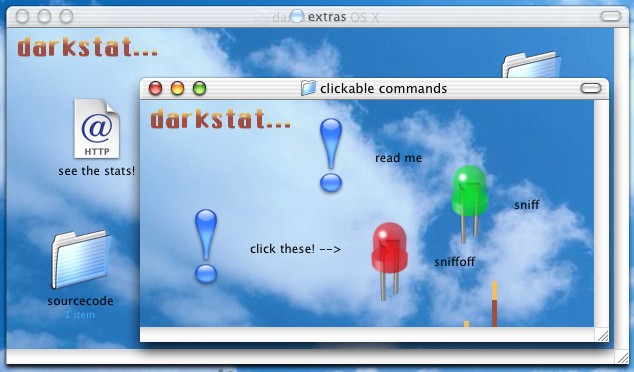
A: Aside from the binary itself and its accompanying man page, the installer will install a StartupItem (so you always, got stats), some neat control scripts, and an uninstaller too, things that you can click! Scroll down for pics.
Please do check out the darkstat website. There are even a couple of links on there back to here, if you're feeling a bit loopy..
;o)
cor
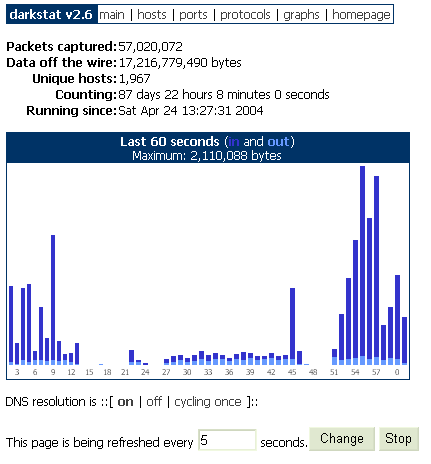
Feeling blue cuz you got no blue?
If you are compiling darkstat on some other platform, but want in on some of this blue action, it's easy enough to achieve. you have two options:
i. edit
www.c (which is in the /src directory of the source
package) altering the colour values therein to whatever your heart desires.it's all fairly obvious, apart from maybe the bars themselves..
		#define _IN "\"#3333CC\""

		#define _I_R 0x33

		#define _I_G 0x33

		#define _I_B 0xCC


		#define _OUT "\"#6699FF\""

		#define _O_R 0x66

		#define _O_G 0x99

		#define _O_B 0xFF
remember to edit all the values. Or..
ii. download a ready-made blue version of the source file right here..
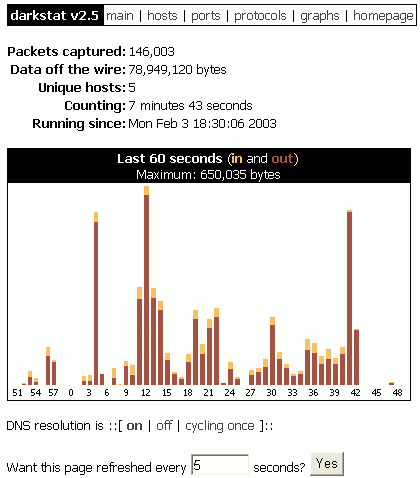 this screenshot is from
another machine on my LAN. (a peecee)
this screenshot is from
another machine on my LAN. (a peecee)You can monitor your mac's network activity even before aqua loads..
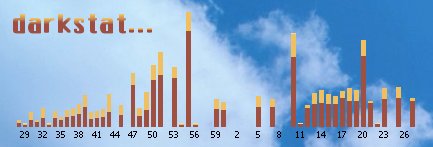
if you have darkstat installed, clicking on this graph will take you to your own stats!
Welcome to the comments facility!
Getting this error when installing darkstat via fink 0.22.2 (distribution 0.7.1):
Filehandle STDIN reopened as STDOUT only for output at /sw/lib/perl5/Debconf/FrontEnd/Dialog.pm line 139.
This is after replying NO to whether I want darkstat to startup automatically at boot.
Art, I don't know anything about the fink release. I recommend using my distribution.
;o)
(or
hello i have a problem of it
last night i still can login the main page but now i cant login to the main page to check the download the browser said u cant open the localhost
what happen of it ?
first thing to check alfons; is darkstat still running? run the "sniff" command from the terminal and see what happens.
What error do you get in your browser? "Connection Refused"? or what? Check the darkstat logs in /Library/darkstat, too. Maybe a clue there.
;o)
(or
My ports page is blank also. Everything else seems fine, and all of the other pages have meaningful content. Can't figure out what might be the problem (en0 is indeed the interface I'm using). Here's the log:
Thu Dec 30 18:50:22 PST 2004 : starting service..
darkstat v2.6 using libpcap v2.4 (powerpc-apple-darwin7.2.0)
Firing up threads...
Sniffing on device en0, local IP is 192.168.2.5
DNS: Thread is awake.
WWW: Thread is awake and awaiting connections.
WWW: Compiled without NLS
GRAPH: Starting at 22 secs, 50 mins, 18 hrs, 30 days.
Loaded /Library/darkstat/darkstat.db.
ACCT: Capturing traffic...
Point your browser at http://localhost:666/ to see the stats.
ports! don't talk to me about ports!
I've looked into this a couple of times, but everything works fine for me and most other folks, so it's not been pinned down yet. The only way I've managed to replicate this error is by removing
/etc/servicesfrom my system.
you do have that file, yeah?
;o)
(or
ps.. I noticed recently (for Monty Python fans) that next to the services file, I now have a new, empty file, dunno where it came from, maybe a security update, but it's mysteriously called.. services.ni
woohoo!!!! Didn't have the /etc/services file, and adding an empty one fixed the ports page, at least partially! It's only showing 2 ports (445 and 6881, and I'm currently running Azureus on 6881). Don't know what a "typical" ports page looks like, so not sure if it should be showing more than that.
What's in your services file?
I don't have the services.ni file, and did a search, but couldn't track down what it was for.
Thanks!
OK...I'll ask the obvious, embarrassing questions. I'm running darkstat on a OS X box connected to a Cisco switch that has dozens of other machines on it (actually, a fairly large subnet at our institution). The "hosts" page lists many hosts, but am I to understand that my OS X box, with darkstat, is able to see how much data is flowing in and out of each of those other hosts? Does "In" mean how much is flowing into that host and "Out" mean how much is flowing out of it? Is darkstat an appropriate tool for looking at data on a switched network?
Thanks!
first, apologies for the missing post, dunno what happened there, it was a bit crazy back at the start of the year, hosting troubles. Anyways, I'd even went as far as to put a copy of my own services file in the public archives. hopefully pg got that.
Okay, Tom, back to your switched network, working backwards, No, darkstat really isn't an appropriate tool for monitoring a network, just the local box. If the local box also happens to be the network gateway, then sure, totals for the network could be gathered effectively.
The difficulty, in a mixed network, is getting all the machines talking the same language. You're looking at is some kind of NMP setup on all the boxes, check out this page, and maybe this one, too. There are commercial solutions, but plenty excellent free ones, too. You'll probably want to do the actual monitoring on your OS X box, of course.
As for darkstat, yes, the IN and OUT a) only apply to data coming in and out of the local machine from whatever host, and b) work backwards from the way most folk first imagine!
;o)
(or
link fixed!
I had a bit of a security update yesterday and didn't put in the non-standard doo-dah path, anyway, it works now, thanks for the mails!
;o)
(or
Your site is a very nice source of info.